Minecraft Education
- 4.1
- Rating
- 50.00M
- Installs
- Free
- Price
 Analysis by App-foxy
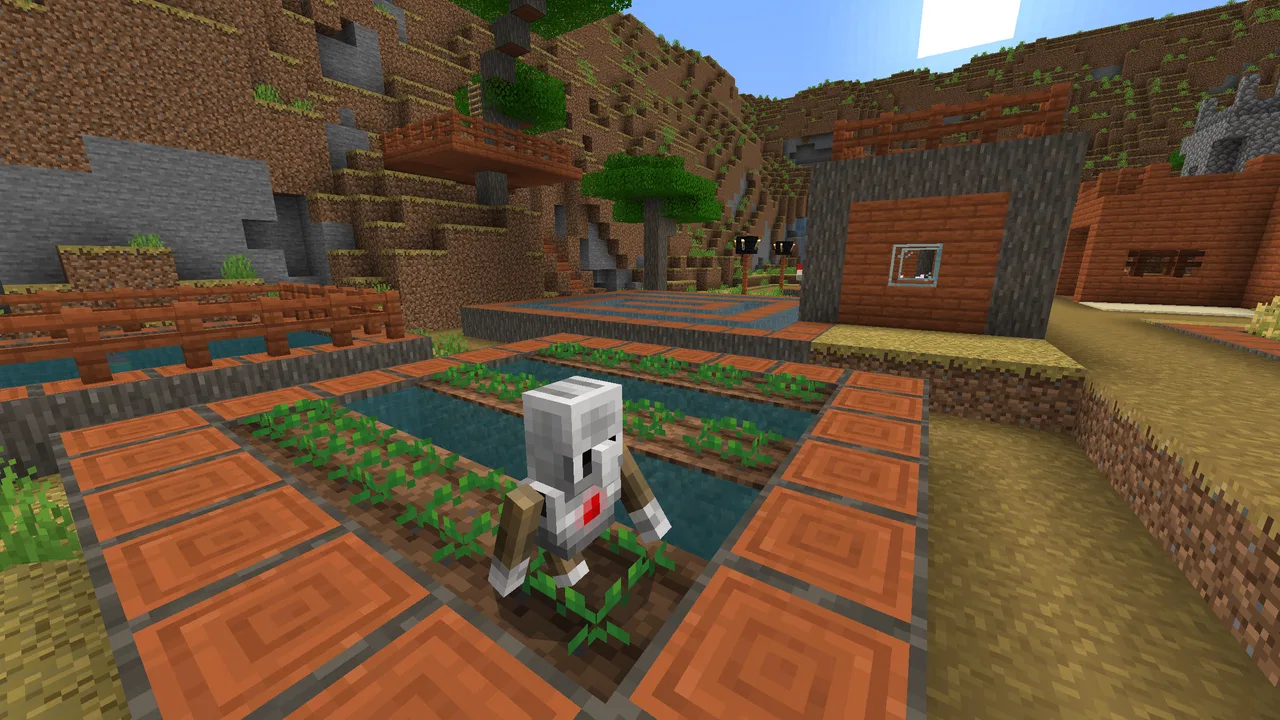
I approached Minecraft Education less like a regular game and more like a classroom tool that happens to use building, exploration, and problem-solving as its language. That distinction matters. If you already enjoy Minecraft, the familiar block-based world makes learning activities feel approachable. If you expect a complete replacement for a textbook, a private sandbox, or the standard game, the experience may feel more specialized than you expect.
Developed by Mojang, this free education app sits in the education category and is aimed at learners aged Everyone 10+. It has reached over ten million installs, with an average rating of 4.1 from around 133 thousand ratings. Those figures suggest a broad audience, but they do not tell me whether it will suit every learner. In my experience, its value depends heavily on how deliberately the activities are chosen and whether an adult, teacher, or parent helps connect the game tasks to a real learning goal.
How the Minecraft world becomes a learning workspace
The strongest part of the app is the way it turns abstract ideas into things I can see and manipulate. Instead of only reading about a subject, I can construct a model, test a solution, change the environment, and observe what happens. That makes the experience especially useful for learners who struggle with lessons that remain entirely on a page or inside a video.
You May Also Like

 AccuWeather: Weather Radar
AccuWeather Review: A Quick, Clear Forecast for Everyday Decisions
For everyday plans, the best forecast is the one you can understand quickly. AccuWeather makes rain timing, radar, and local conditions easy to act on, with a few trade-offs.

 Hill Climb Racing
Why Hill Climb Racing Still Turns Crashes Into One More Run
A tiny car, a bumpy hill and one more upgrade: Hill Climb Racing keeps resurfacing because its simple chaos makes every near-miss feel personal.

 AliExpress - Shopping App
AliExpress Makes Global Shopping Feel Personal, but Shoppers Bear the Risk
AliExpress turns a global marketplace into a pocket-sized discovery engine. Its reach is useful, its shopping loop compelling, and its trade-offs easy to miss.

 Lords Mobile: Kingdom Wars
Lords Mobile Is a Kingdom-Building Routine, Not a Quick Match
A case-by-case verdict on the building, battles, device demands, and social commitments that make Lords Mobile rewarding for some players and exhausting for others.

 PDF Scanner app - TapScanner
TapScanner Makes Paperwork Easier to Capture, Check, and Share
TapScanner makes scanning with a phone feel less like a rescue operation and more like a dependable step in getting work done. Its capture tools are useful, though not flawless.

 Block Blast!
 Shows How Much a Puzzle Game Can Leave Out
A quiet grid game shows why puzzle players increasingly value instant clarity, repeatable skill and low-pressure play—and where the genre still needs to catch up.
More From Our News Desk
View All News


The creative side is not just decoration. Building requires planning, spatial awareness, patience, and the ability to revise a design after it fails. Collaboration adds another layer: one person may organize materials, another may create the structure, and someone else may explain the reasoning behind the result. The game format encourages those roles naturally, although the learning outcome is much stronger when somebody pauses to discuss why a solution worked.
I also noticed that the open-ended nature can be both the app’s main strength and its main complication. A learner can become deeply involved in a project, but that project can drift away from the original lesson. A simple instruction such as “build a sustainable town” can lead to a thoughtful investigation or to an elaborate building exercise with very little reflection. The difference comes from the task design, not just the software.
Who will get the most from it
I would recommend it first to teachers, families, and independent learners who are comfortable giving a digital activity some structure. It can work well for learners who enjoy experimenting, visualizing ideas, and learning through making. It is also a good fit when a subject benefits from a model: ecosystems, community planning, geometry, resources, communication, and basic computational thinking all become easier to discuss when there is something visible on screen.
It is less suitable for someone who wants a quick, linear lesson with a clearly defined beginning and end. The familiar Minecraft style can make the app feel playful, but it still asks for attention and guidance. A child who simply wants unrestricted entertainment may not engage with the educational purpose, while a student who prefers concise explanations and conventional exercises may find the world-building approach slower than a focused learning app.
A realistic afternoon use case
Imagine a learner working on a local-community project after school. Rather than writing a paragraph about public spaces, they could plan a small neighborhood, decide where homes, roads, green areas, and shared facilities should go, then explain the trade-offs. I would ask them to keep a short record of each decision: what problem it solves, what it costs in space, and who benefits from it. The building becomes the starting point for writing, discussion, and revision instead of being the entire assignment.
That workflow also reveals a practical limitation. The app does not automatically turn a creative project into a well-structured lesson. The adult guiding the activity needs to set the question, define what success means, and make time for the learner to explain the result. Without that step, the most impressive construction may tell me more about persistence than about the intended subject.
What feels different from ordinary learning apps
Compared with flashcard apps, Minecraft Education is much better at giving an idea a physical shape, but much worse at delivering rapid repetition. Flashcards are efficient when I need to memorize vocabulary or facts; this app is more valuable when I need to apply, design, compare, or explain. It also differs from ordinary video lessons because the learner is not only watching a demonstration. They are making choices and dealing with the consequences of those choices.
Compared with the standard Minecraft experience, the education edition has a more purposeful identity. I would choose the regular game for relaxed survival, unrestricted building, or playing primarily for entertainment. I would choose this app when the world itself needs to support a question or activity. That does not make one universally better than the other. It simply changes what I expect to do once I open it.
Trust starts with the role of Mojang and the account experience
For me, trust begins with knowing who is behind the product and what kind of app I am installing. Mojang is the named developer, and the app is presented clearly as Minecraft Education rather than as a general-purpose social platform or an unrelated utility. The current version is 1.21.132.1, and it requires Android 8.0 or later, so device compatibility is something I would check before planning a lesson around it.
The app is free, which lowers the barrier to trying it, but “free” should not be confused with “effortless.” A school or family still needs to think about device access, account setup, network arrangements, and who is responsible for supervising use. I would test the complete sign-in and activity workflow on the actual devices before introducing it to a group, especially when a lesson depends on everyone starting at the same time.
One useful habit is to give learners a clear account routine: use only the account intended for the activity, sign out when the session ends if the device is shared, and avoid entering personal details into a project unless there is a genuine educational reason. These are simple steps, but they make responsibility visible to children and reduce confusion on shared hardware.
Visible choices matter more than broad promises
When I assess an education app, I pay attention to the moments where a user or supervising adult can make a decision. Account selection, access to a shared activity, and the handling of communication are all points where I want the interface and the surrounding setup to be understandable. I would not treat a polished game world as evidence that every privacy or safety concern has been solved automatically.
My cautious approach is to review the permissions and account prompts shown on the device before use, then check the available controls that apply to the particular school or family setup. I would also explain to learners what information belongs in a classroom project and what should stay private. That conversation is valuable even when the software is being used in a controlled environment, because students may carry the same habits into other apps.
The important point is that I would judge the app by the choices I can actually see and manage, not by assumptions about hidden systems. If the device displays an access request, an account prompt, or a sharing option, I would read it rather than accepting it automatically. For a classroom, that small pause is part of responsible technology use.
Data-sensitive moments during normal use
The most sensitive moments are not necessarily the creative ones. They are the moments around accounts, shared worlds, collaboration, and saved work. A learner may be focused on building a bridge while an adult is focused on who can enter the activity, which account is active, and whether a shared device is still connected to the right user. I would separate those concerns instead of assuming that the fun part of the app explains the whole experience.
Before a group session, I would decide whether learners need to work together or whether individual projects are enough. Collaboration can make the lesson richer, but it also creates more setup and supervision. If the objective is simply to demonstrate a concept, an individual activity may be easier to manage. If the objective is communication or teamwork, I would establish rules first: use respectful names, keep project discussions relevant, and report anything uncomfortable to the supervising adult.
I would also avoid treating an in-game name or character identity as a substitute for real-world privacy. Learners should know that a creative world can still contain information they did not intend to share if they add recognizable names, locations, or personal references. A good classroom rule is to build fictional examples unless the lesson specifically requires real data and the responsible adult has approved its use.
Practical controls for parents and teachers
A teacher does not need to control every block to make the app useful. In fact, too much intervention can remove the problem-solving that makes the format worthwhile. I prefer setting boundaries around the task, the time, and the expected explanation, then allowing learners to decide how they will reach the result. This keeps the activity purposeful without turning it into a rigid worksheet.
For younger or less experienced learners, I would demonstrate the basic workflow before asking them to create anything substantial. Show how to enter the activity, identify the objective, save progress where appropriate, and leave the session correctly. The hidden benefit of this preparation is that it prevents technical uncertainty from being mistaken for a learning difficulty.
For older learners, I would make the reflection more demanding. Ask them to compare two designs, identify an unintended consequence, or defend a choice using evidence from the world they built. This is where the app moves beyond colorful construction. The learner has to communicate reasoning, not merely produce a finished scene.
Three ways to avoid the usual Minecraft trap
My first tip is to begin with a constraint rather than a blank world. “Build anything” sounds inviting, but it gives learners no clear way to judge their own work. A limited footprint, a fixed list of requirements, or a specific audience creates productive pressure and makes comparison possible.
My second tip is to separate construction time from explanation time. I would let learners build without interrupting every decision, then ask them to walk through the result afterward. This prevents the adult from solving the problem for them and makes the final discussion more revealing.
My third tip is to preserve imperfect attempts. A failed design can show more learning than a polished one because it records a decision that did not work. If the activity allows it, I would ask learners to describe what they changed and why. That turns revision into evidence of problem-solving rather than an admission of failure.
A fourth useful approach is to assign rotating responsibilities during a group task. One learner can focus on planning, another on construction, and another on documenting decisions, with roles changing later. This reduces the chance that one confident player takes over while quieter learners simply watch. It also makes collaboration measurable instead of treating “working together” as an automatic outcome.
Where the friction appears
The app’s greatest weakness is that it asks for more preparation than a conventional educational game. A vocabulary app can be opened for a short practice session with little explanation. This environment needs a meaningful prompt, enough time to create something, and a follow-up conversation. That investment can be worthwhile, but it is not ideal for every timetable or every household.
There is also a risk of confusing engagement with understanding. A learner may spend a long time optimizing a build while avoiding the central question. I would watch for that by asking them to explain the connection between their design and the lesson in plain language. If they cannot explain it, the activity needs adjustment even if the construction looks excellent.
Device limitations can create another source of frustration. Because the app requires Android 8.0 or later, older hardware may not be suitable. Even on a compatible device, I would avoid planning a high-stakes lesson without testing the exact setup. A classroom with small screens, shared devices, or inconsistent access may need a simpler activity than a one-to-one environment.
Questions I would settle before installing it
If you are wondering whether it is really free, the listed price is free. I would still plan for the practical work around it: preparing accounts, checking access, and deciding how learners will be supervised. The absence of a purchase price does not remove those responsibilities.
If you are wondering whether it is appropriate for children, its content rating is Everyone 10+. I would use that as a starting point rather than a complete parenting decision. The right choice still depends on the child’s maturity, the activity, the device arrangement, and whether collaboration is involved.
If you are wondering whether it replaces the regular Minecraft game, I would say no. This version makes more sense when the goal is guided learning through creativity, cooperation, and problem-solving. For open-ended entertainment, the usual game may be the better fit. For a structured project, this edition gives the activity a more educational direction.
If you are wondering whether a teacher must be an expert player, I do not think that is necessary. What matters more is having a clear question and being willing to learn the basic workflow. A teacher can contribute by asking useful questions, checking understanding, and setting sensible boundaries rather than by building faster than everyone else.
If you are wondering whether it works for independent study, I think it can, but only when the learner has a defined challenge. A self-directed student could choose a topic, set constraints, document decisions, and present the result. Without that structure, the app is likely to become ordinary play, which may still be enjoyable but will not necessarily produce the learning outcome the user wanted.
My cautious recommendation
After using it as an education-focused Minecraft experience, I see genuine value in the way it makes ideas tangible. It gives learners room to test, revise, collaborate, and explain, and it can support lessons that feel too abstract when taught only through text. The strongest results come from carefully framed activities rather than from simply handing over the app and hoping curiosity does the rest.
I would recommend it to schools, families, and learners who want a creative project space and are prepared to manage accounts, access, privacy-conscious habits, and reflection. I would skip it if I needed instant drills, a short linear lesson, or completely hands-off supervision. Its 4.1 average across around 133 thousand ratings shows that it has broad appeal, but my own verdict is more specific: this is a useful learning workshop, not an automatic lesson generator.
Mojang has built an app that can make learning active and memorable, but the responsibility for turning activity into understanding remains with the people using it. If you provide a clear goal, protect personal information, check the visible account and access choices, and leave time for learners to explain their decisions, Minecraft Education can earn its place in an education toolkit. If you only want a familiar game with no planning, another version of Minecraft—or a more focused learning app—will probably serve you better.
FAQs for Minecraft Education
01What is Minecraft Education and how is it different from regular Minecraft?
Minecraft Education is a specialized version of the popular game Minecraft, designed specifically for educational purposes. It includes features that support collaboration and learning, such as classroom-friendly settings, coding tutorials, and lesson plans. Unlike regular Minecraft, it focuses on STEM subjects and promotes creativity and problem-solving in a controlled environment.
02Is Minecraft Education suitable for all age groups?
Minecraft Education is primarily designed for students from elementary to high school. However, its versatile nature allows it to be adapted for younger children and even adult learners. The content can be tailored to suit different educational levels, making it a flexible tool for a wide range of ages and learning abilities.
03What devices and platforms support Minecraft Education?
Minecraft Education is available on multiple platforms including Windows, macOS, iPad, and Chromebook. This cross-platform compatibility ensures that students and educators can use the app on a variety of devices, making it accessible both in classrooms and for remote learning environments.
04How can teachers use Minecraft Education effectively in their classrooms?
Teachers can use Minecraft Education by integrating it into their lesson plans to enhance engagement and creativity. The app includes a vast library of resources such as lesson plans, tutorials, and collaborative projects. Educators can also monitor student progress and customize the game to align with specific learning objectives, facilitating a dynamic learning experience.
05Are there any costs associated with using Minecraft Education?
Minecraft Education typically requires a subscription, which schools can purchase through Microsoft's education programs. Pricing may vary based on the number of users and specific licensing agreements. However, there are often trial versions available, providing educators with the opportunity to explore its features before committing to a subscription.
Pros
- Engages students with interactive learning.
- Supports creativity and problem-solving skills.
- Integrates well with various subjects.
- Offers a safe environment for collaboration.
- Regular updates with new educational content.
Cons
- Requires a stable internet connection.
- May be challenging for younger students.
- Limited features in offline mode.
- Subscription needed for full access.
- Device compatibility issues on older models.

Minecraft Education
Gallery